
Download TraceEkee APK – contact tracing, Bluetooth, Android, iOS, free, health app, virus protection, public safety, COVID-19, mobile app
Overview
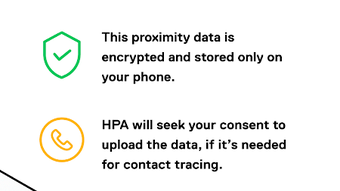
TraceEkee is a mobile application developed by HPA Maldives, designed to support public health efforts during the ongoing pandemic. The app functions as a contact tracing tool, leveraging Bluetooth technology to detect nearby devices and log proximity events. By monitoring Bluetooth signals, TraceEkee records identifiers, device models, signal strength, and timestamps of nearby phones. This data helps determine potential exposure risks without tracking location or personal information.
The application is intended for use by individuals seeking to stay informed about local health developments, particularly in the context of COVID-19. It provides real-time updates on case numbers and positive cases within the user’s geographic area. Additionally, TraceEkee offers access to official health resources and guidance on protective measures, aiming to promote awareness and encourage responsible behavior.
Target users include general consumers in Maldives and other regions where the app is deployed. It is especially useful for individuals who want to contribute to community safety and remain informed during public health emergencies. The app operates on both Android and iOS platforms, making it accessible to a broad audience. While specific details about its backend infrastructure or data handling are not provided, the app’s design emphasizes privacy and public safety through decentralized, anonymized data processing.
Key Features & Capabilities
- Bluetooth-Based Proximity Detection – Uses Bluetooth signals to identify nearby devices, enabling contact tracing without relying on GPS or location data.
- Anonymous Exposure Logging – Records device identifiers, signal strength, and timestamps while preserving user anonymity and minimizing data retention.
- Real-Time Health Updates – Delivers timely information on local COVID-19 case counts and active outbreaks in the user’s area.
- Public Health Guidance – Offers recommendations and best practices for virus protection, including hygiene tips and social distancing advice.
- Access to Official Resources – Provides links and information about local health services, testing centers, and official government advisories.
- Cross-Platform Compatibility – Supports both Android and iOS devices, ensuring wider reach and inclusive deployment.
These features are designed to help users understand their potential exposure risk and take informed actions. For example, if a user has been near someone later diagnosed with COVID-19, the app may notify them based on Bluetooth interaction history. The app also serves as an educational tool, keeping users updated on evolving health protocols and encouraging preventive behaviors. It does not require internet connectivity for core functionality, though updates and health alerts depend on network access.
User Interface, Workflow & Performance
TraceEkee features a clean, minimal interface optimized for mobile use. Navigation is straightforward, with key functions accessible through a main dashboard. Users can view their exposure status, check local case statistics, access health tips, and review app settings. The workflow is designed to be intuitive, minimizing user effort while maintaining functionality.
Interaction with the app is primarily passive—once enabled, it runs in the background, continuously scanning for nearby Bluetooth signals. Users are not required to manually initiate scans or enter data. The app operates silently, with notifications only triggered when necessary, such as for exposure alerts or health updates.
Performance details were not specified by the developer. However, based on standard mobile app behavior, the app is expected to maintain low resource consumption during idle periods. Battery usage may vary depending on device settings and Bluetooth activity. The developer did not provide specific information on CPU or RAM usage. Stability is assumed to be consistent with typical mobile applications of this type, though actual behavior may vary across devices.
Compatibility & System Requirements
TraceEkee is available for both Android and iOS platforms. The app supports most modern Android devices and is compatible with iPhones. The current version is 1.0.1, with a file size of 20.3 MB. This suggests a lightweight installation, suitable for devices with limited storage.
Exact system requirements were not listed. Compatibility information is limited to platform availability. The developer did not specify minimum Android version, iOS version, or hardware specifications. It is recommended to install the app on devices that support Bluetooth Low Energy (BLE) for optimal functionality. Users should ensure their device’s Bluetooth is enabled and that background app permissions are granted for uninterrupted operation.
Pros and Cons
Pros
- Free to download and use, with no hidden costs.
- Supports both Android and iOS, increasing accessibility.
- Uses Bluetooth for contact tracing without relying on GPS.
- Provides real-time updates on local case numbers and health advisories.
- Offers access to official health resources and protective guidance.
- Designed with privacy in mind, avoiding location tracking.
Cons
- Exact system requirements were not provided.
- Performance and resource usage details are unspecified.
- Relies on user adoption and device compatibility for effectiveness.
- May not function optimally on older devices with outdated Bluetooth versions.
- Dependent on external health data sources for case updates.
FAQ Section
Is TraceEkee available for both Android and iOS?
Yes, TraceEkee is compatible with both Android and iOS devices, allowing users across different platforms to participate in contact tracing efforts.
Is the app safe to use and does it protect my privacy?
TraceEkee is designed to preserve user privacy by using anonymized Bluetooth signals and avoiding location tracking. Personal data is not collected or stored.
How often does the app update with new health information?
The app receives updates on local case numbers and health advisories as they become available from official sources. Frequency depends on the update cycle of the health authorities.
Do I need an internet connection to use TraceEkee?
Basic contact tracing functions can run offline. However, receiving health updates, exposure alerts, and access to official resources requires an active internet connection.
Is TraceEkee free to download and use?
Yes, TraceEkee is completely free to download and use. There are no subscription fees or in-app purchases.
Final Thoughts
TraceEkee offers a practical, privacy-conscious approach to digital contact tracing during public health emergencies. Its ability to operate on both Android and iOS devices makes it a valuable tool for community-wide health monitoring. The app’s focus on anonymized Bluetooth interactions, real-time updates, and access to official resources enhances its utility for individuals seeking to stay informed and protected.
While detailed technical specifications are limited, the app’s lightweight design and free access make it accessible to a wide audience. It is particularly beneficial for residents of Maldives and other regions where public health authorities recommend its use. For users concerned about virus spread and seeking reliable, up-to-date information, TraceEkee provides a straightforward solution.
Download TraceEkee now







